
Hello! Here are some of the audio programming features I have been working on.
May main responsibility has been both gameplay audio systems and also editor and middleware tooling.
Since I can’t show the code directly, I thought I would give a bit more detail here.
Happy to discuss further and to answer any questions.
(Click to enlarge) This is an example of built-in debugs that sound designers can turn on with a console command and show the emitter position, name, playing events, room volume and RTPC.
Complete Audio Codebase Refactor
Supermassive Games - UE5 - C++ - Wwise API
For the last few months, I have been migrating the C++ audio code base shared by every Dark Pictures game. The goal is to have cleaner and modular code that doesn’t depend on anything else and can be deployed to any future project. This usually required re-writing the code from scratch while keeping the same feature set. I took this chance to upgrade the code to use more modern and optimised Unreal 5 and Wwise 2025/6 features.
From a high level, these are the different plugins I have been working on:
Core plugin containing custom emitters, subsystems, utilities, debugs, controller outputs (motion and speaker) and optimisation.
Acoustics plugin for custom room volumes and portals.
Procedural audio plugin which manages footsteps, procedural foley, breathing system based on locomotion, etc.
Animation notify based audio.
Sequence based audio. (Events, RTPCs, States, Switches).
System to efficiently implement audio on sequences including use of WAAPI to create the Wwise assets and automatically importing the events on sequences.
Custom External Source based Dialogue system.
WAAPI with UE5 and C++ Article for Audiokinetic
Personal Project - UE5 - C++ - WAAPI

I spent some time writing this comprehensive article about using WAAPI for the Audiokinetic blog.
It contains an introduction to using WAAPI with Unreal and C++, including many code examples.
Runtime Dialogue Localisation & Importing tool
Unannounced Project (Supermassive Games) - UE5 - C++ - Wwise API - WAAPI
For this project, I wrote the system to load the correct external source assets at runtime depending on the user’s language of choice. My approach was based on the Simple External Source Manager that is included within the Wwise Unreal plugin but with modifications since we needed a custom solution as plain vanilla wasn’t enough for us.
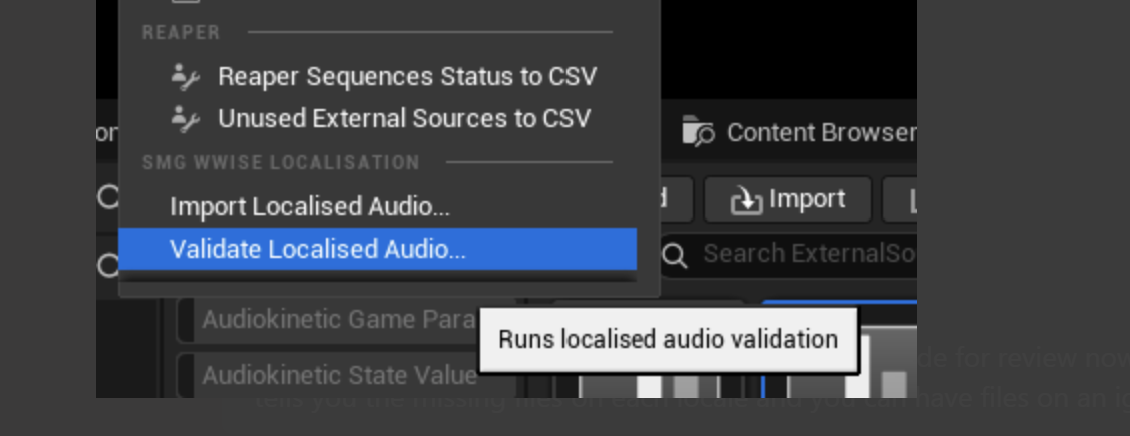
Additionally, I also made an import tool to use when implementing new localised dialogue into the game. It adds entries to the proper xml and table assets and copies the files to the right location, saving a lot of time given that dialogue can be hundreds of individual files. To query Wwise about the most up to date information, I used WAAPI. I also worked on a validation tool which informs of any missing file on any language.

Efficient Audio Emitter Culling
Directive 8020 - UE5 - C++ - Wwise
Given a more ambitious project with bigger levels and more exploration, we needed a system that makes sure only relevant audio emitters are audible and active. Because of time constraints we couldn’t go for a pooling system.
So we built a system that uses an octree structure to keep track of emitter positions. It also takes into account attenuation distances, particular gameplay states and emitter types to make decisions about which emitter should be active. Additionally, I created a caching feature so emitters resume playing looping audio once they become active again.
The drawing to the right should give a simplified view of how this works. The blue square represents the area where we consider emitters should be active, with the listener at the centre. The circles are emitters where the circle radius is the attenuation distance.
The green emitter would be deactivated at this point since its centre is outside the square. On the other hand, the purple emitter would be active, as its centre is within the square. The red emitter presents a different case. Even though its centre lies outside the square, its attenuation radius is still enveloping the listener so this emitter wouldn’t be deactivated yet.
This system allowed the audio team to add much more detail and positional information to environments without sacrificing performance. On busy levels, we went from about 900 total voices to 150.

This is how one type of emitter would look like. Not an actual screenshot from the Drop Dead: The Cabin Unity project but from my personal re-creation of this system.
Audio Event Instances Allocation System
Drop Dead: The Cabin - Unity - C# - FMOD
Since this game was aimed to be released for Meta Quest headsets, we needed to be very careful with voice usage to keep CPU light. The vanilla FMOD emitters create an audio event instance every time you try to play said audio event. This is inefficient for short events that play frequently which is the case for an action game like this one.
I created a system that allows you to set, for each audio event and emitter, a max polyphony value which would determine how many event instances are created for the emitter to use. If we then try to play beyond the maximum polyphony, voice stealing occurs and the user can choose different different ways to do so like oldest, furthest, quietest or based on priority. All of this information is set on an scriptable object audio event wrapper class (see screenshot).
A different use case for the system is relatively infrequent sounds that never play concurrently but are abundant in the game world. For example, in this VR game you can grab many types of objects. Every object has an emitter and an assigned event that plays when you grab it and is exactly the same for many objects of the same type. By default, every single object would be creating its own audio event instance to play this grabbing audio event. This would be wasteful, since the player can not grab many items in a short period of time. For this situation, I added an option where a set of instances (determined by the polyphony value) can be shared among different emitters, preventing the creation of many audio event instances that would barely be used.
Additionally, there is also an option to create the audio event instances beforehand (usually during a loading screen) or just before they are needed (useful for infrequent sounds). Conversely, there are options to determine when these instances are released and cleared which helps keeping the C# garbage collection system at bay. This allowed us in the audio team to strike a balance between CPU and memory usage and deliver the game with excellent audio performance.
For demonstration purposes, I re-built a new rendition of this system, revamping everything from the ground up and re-thinking many of these concepts in a more general way that would fit any type of game. For example, this time I don’t have a scriptable object asset for each FMOD audio event but a new notion of “Event Configuration” which would be defined as “a particular way of using an FMOD audio event description”. Although unfinished, this should give you an idea of what I was trying to achieve. You can have a look on GitHub here. The most relevant classes to check out are EventConfiguration, FmodEventInstanceProvider, AudioManager and AbstractAudioEmitter.

Kinematic Velocity & Doppler Improvements
Personal Project - Unity - C# - FMOD
FMOD includes absolute and relative velocity built-in parameters and also a plug and play doppler effect. The only issue with this is that it only works if the game object in question has a rigid body AND it is moved using that rigid body. Since the doppler effect is all about the difference in velocity between the emitter and the listener, the latter also would need to be moved via the rigid body. Often times this is not the case in games which makes these features unusable in practice for most users.
I fixed this by adding manual kinematic velocity calculations on both emitters and listeners and sending this information to FMOD myself. I have published a thorough explanation on my blog on how to achieve this, including GitHub links with all the necessary code.
Technical Sound Design Reel
You can hear here my latest technical sound design work. This includes systems I have built using Wwise, Unreal, Unity and FMOD.